How Our Remote Team Saves $31,500/Year Using One Platform Instead of Nine
In 2024, I shared how Roam replaced six tools for our remote team. Two years later, it replaces nine. Here is an updated look at what Roam offers, what it costs, and why we still use it every day.
Two years ago, I wrote a thread on X about how our remote team at Snippet Digital uses Roam to replace a stack of expensive tools. That thread got over 6,000 views and a decent amount of engagement.
Since then, Roam has shipped a lot. New products. New AI features. A full developer API. The price has changed too. So this felt like a good time to revisit the original thread and give an honest update on where things stand.
We still use Roam every day across our team of about 10+ people.
What I Said in 2024
The original thread covered six tools Roam replaced for us:
- Microsoft Teams (virtual office)
- Zoom/Google Meet (video calls)
- Zoom Webinars/Livestorm (webinars)
- Otter/Fathom (meeting notes)
- Calendly (calendar booking)
- Slack (team chat, which was in early testing at the time)
Back then, Roam cost $9.97 per user per month. For our 10 person team, that was roughly $99/month compared to about $931/month buying each tool separately. The savings worked out to around $830/month.
That math has changed. But it has actually gotten better.
What Roam Looks Like in 2026
Roam now bundles nine products into a single platform. Three of those are entirely new since my original thread.
The Original Six (Now Better)
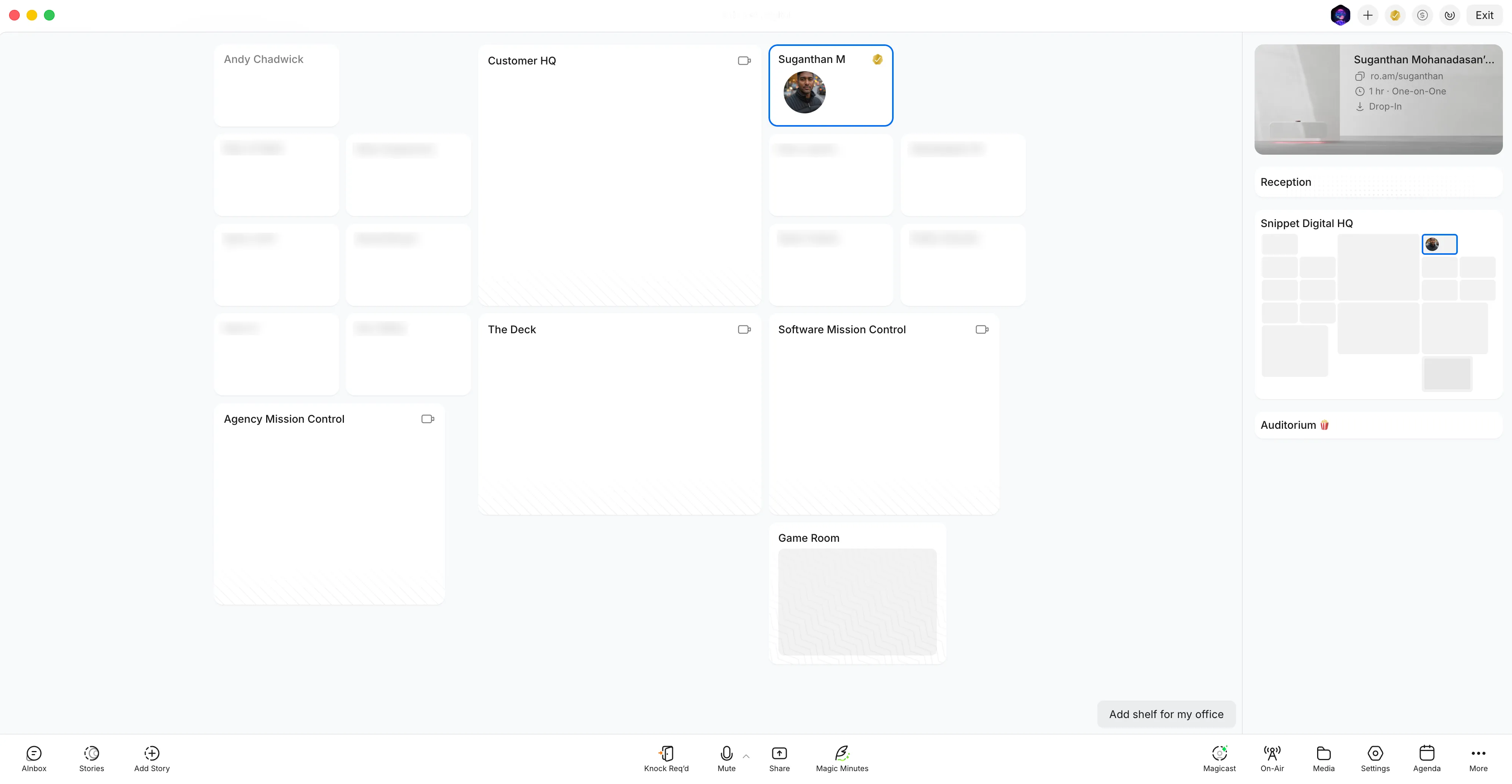
Virtual Office still gives you a visual map of your entire company. You see who is at their desk, who is in a meeting, who is on an external call. It sounds gimmicky until you use it. After two years, I can say it genuinely changes how a remote team communicates. You stop scheduling calls for things that should be a quick conversation.
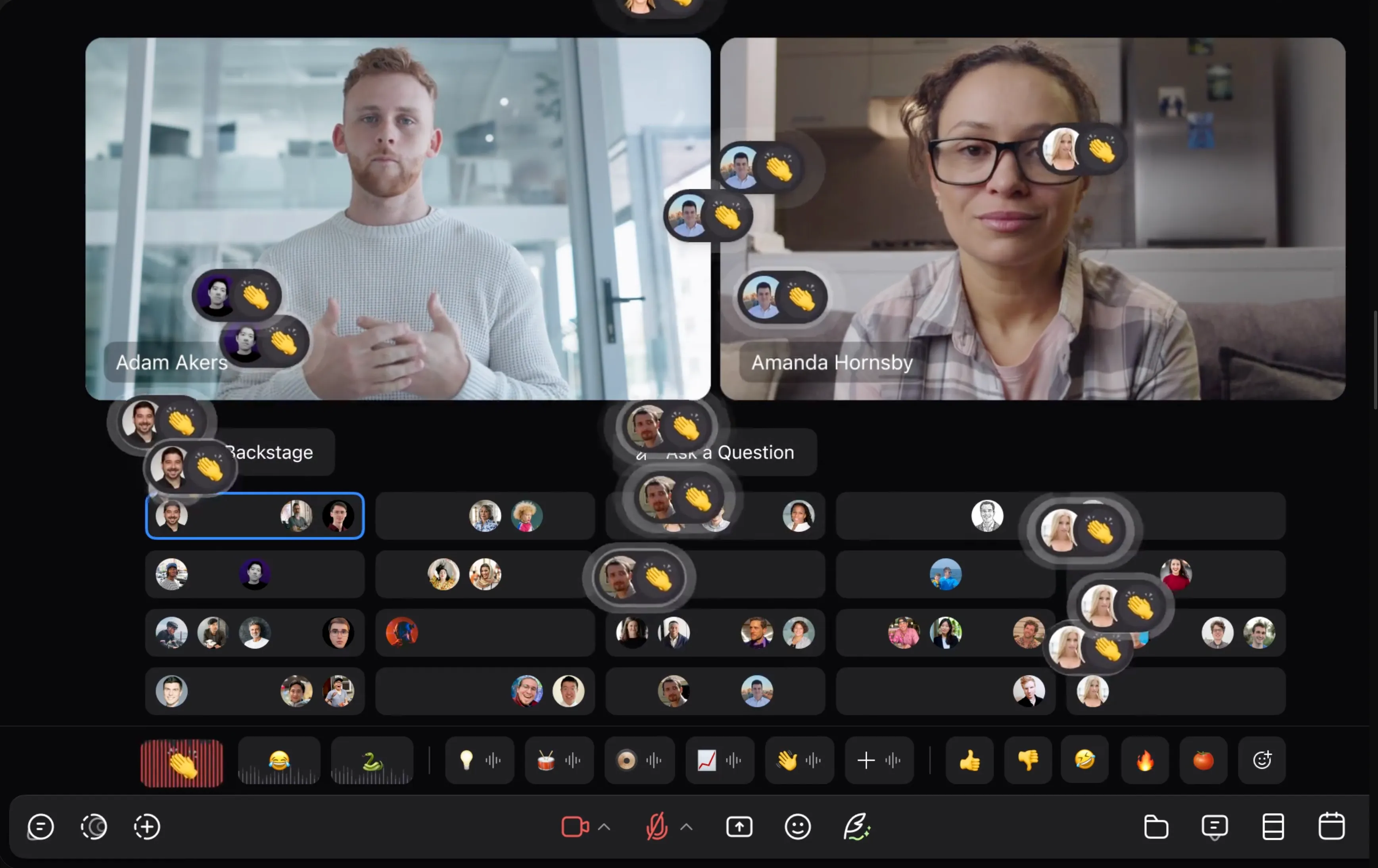
Drop-In Meetings replace Zoom and Google Meet. Instant video calls, no scheduling links, no waiting rooms. Roam says the average meeting length is 8 minutes. That tracks with our experience. When you can just knock on someone’s virtual door, meetings get shorter and more focused.

Theater handles all-hands presentations and company wide events. We use it for weekly standups with the full team. It replaced the webinar tools we were paying for separately.
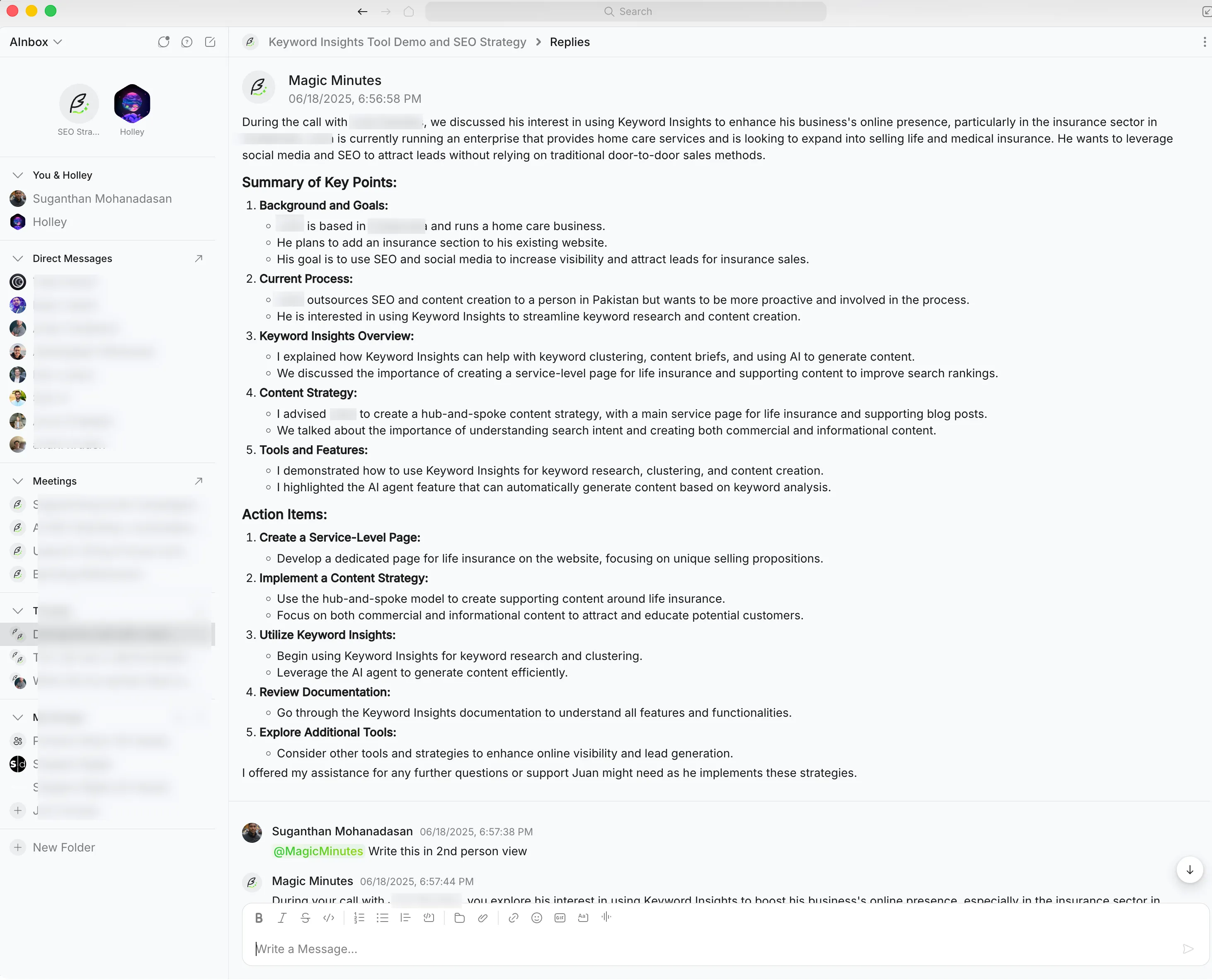
Magic Minutes is their AI notetaker. It listens to your calls, generates summaries, and lets you ask questions about past conversations. The key difference from Otter or Fathom: there is no bot joining your call. It is built into the platform natively.
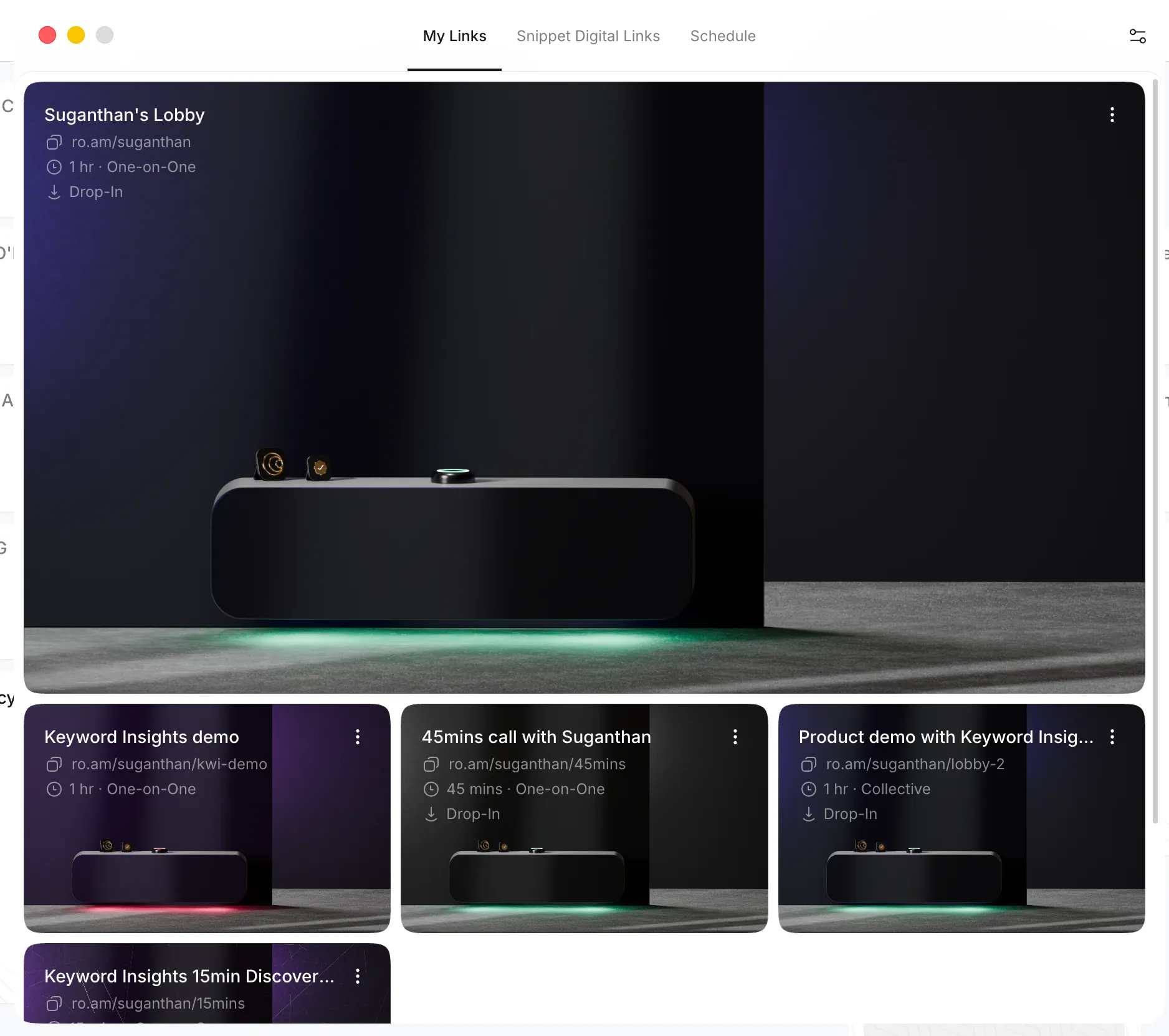
Lobby replaces Calendly. Share a booking link, clients wait in a virtual reception area, and you join when you are ready. Simple.
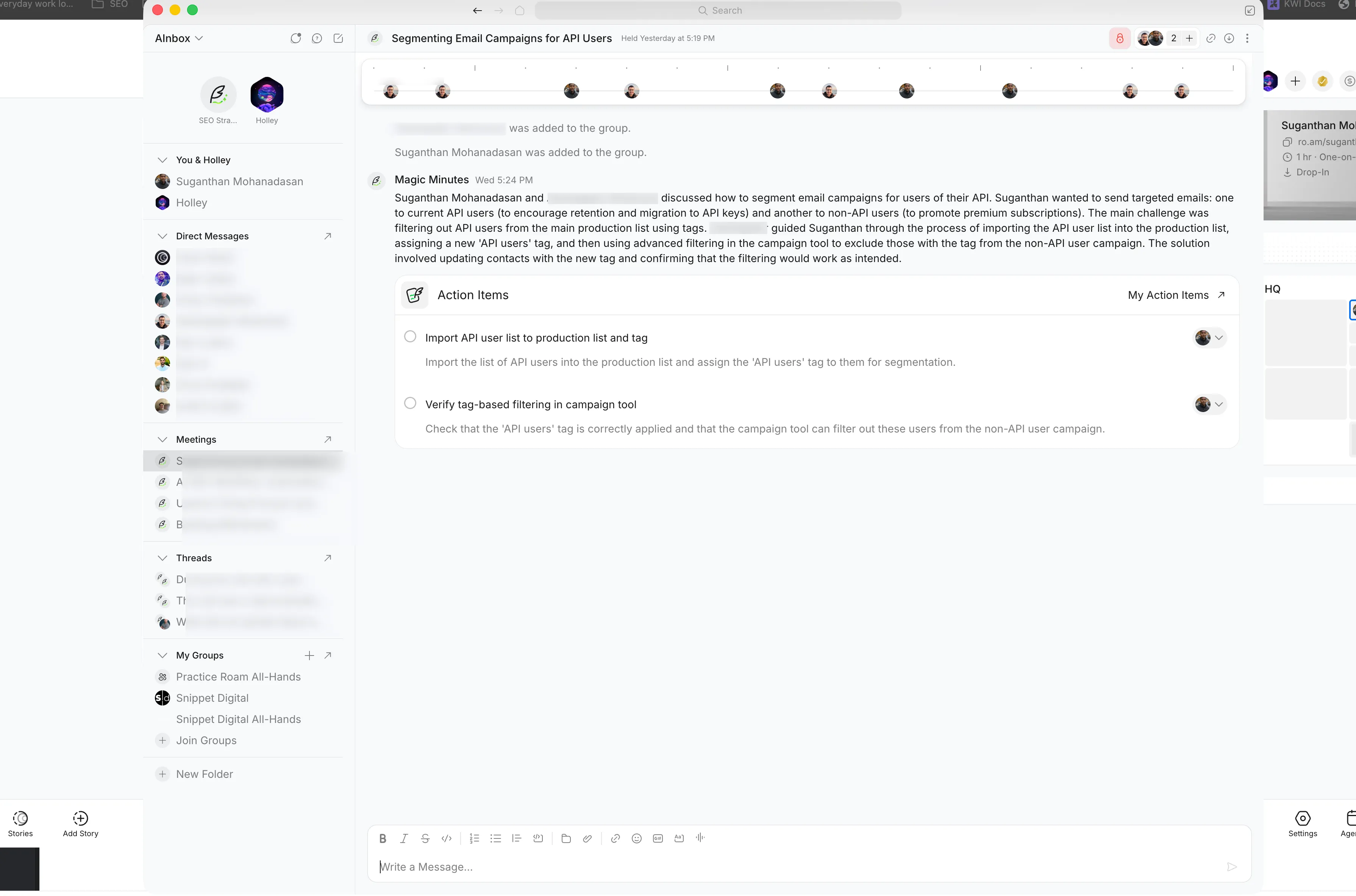
AInbox is the big one. When I wrote the original thread, Roam’s Slack replacement (then called AIbox) was in early testing. It is now fully shipped and honestly impressive. Group chats with threads, direct messages that feel like iMessage, confidential disappearing messages, custom folders, scheduled messages, and a full search across both chats and meeting transcripts. You can tag @MagicMinutes in any thread and ask it to summarize the conversation. You can upload a PDF and prompt its contents directly in chat.
Three New Products
These did not exist when I wrote the original thread.
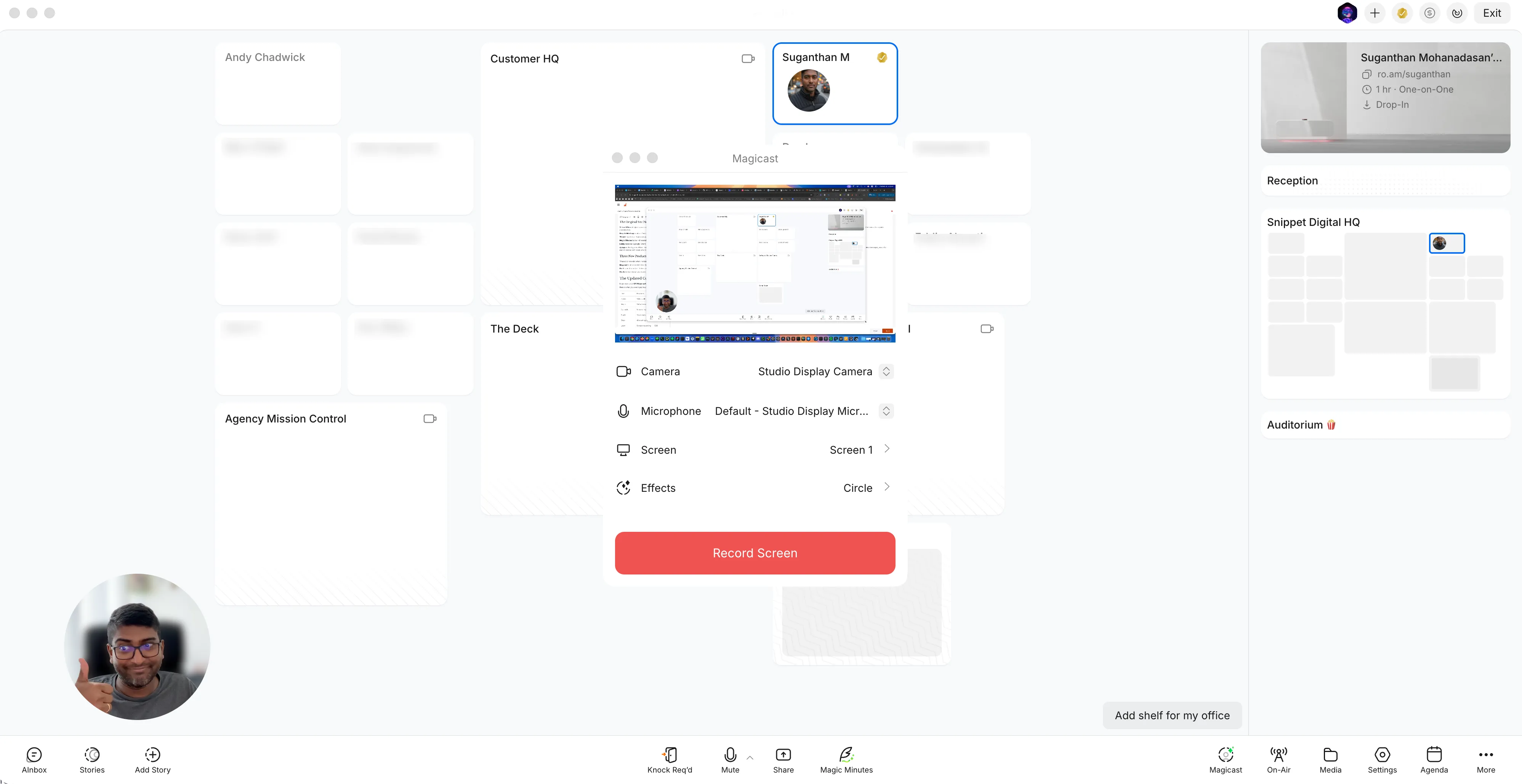
Magicast is an AI screen recorder built directly into Roam. No browser extension to install (looking at you, Loom). Record your screen, and Roam handles it natively. For async communication across time zones, this has been genuinely useful.
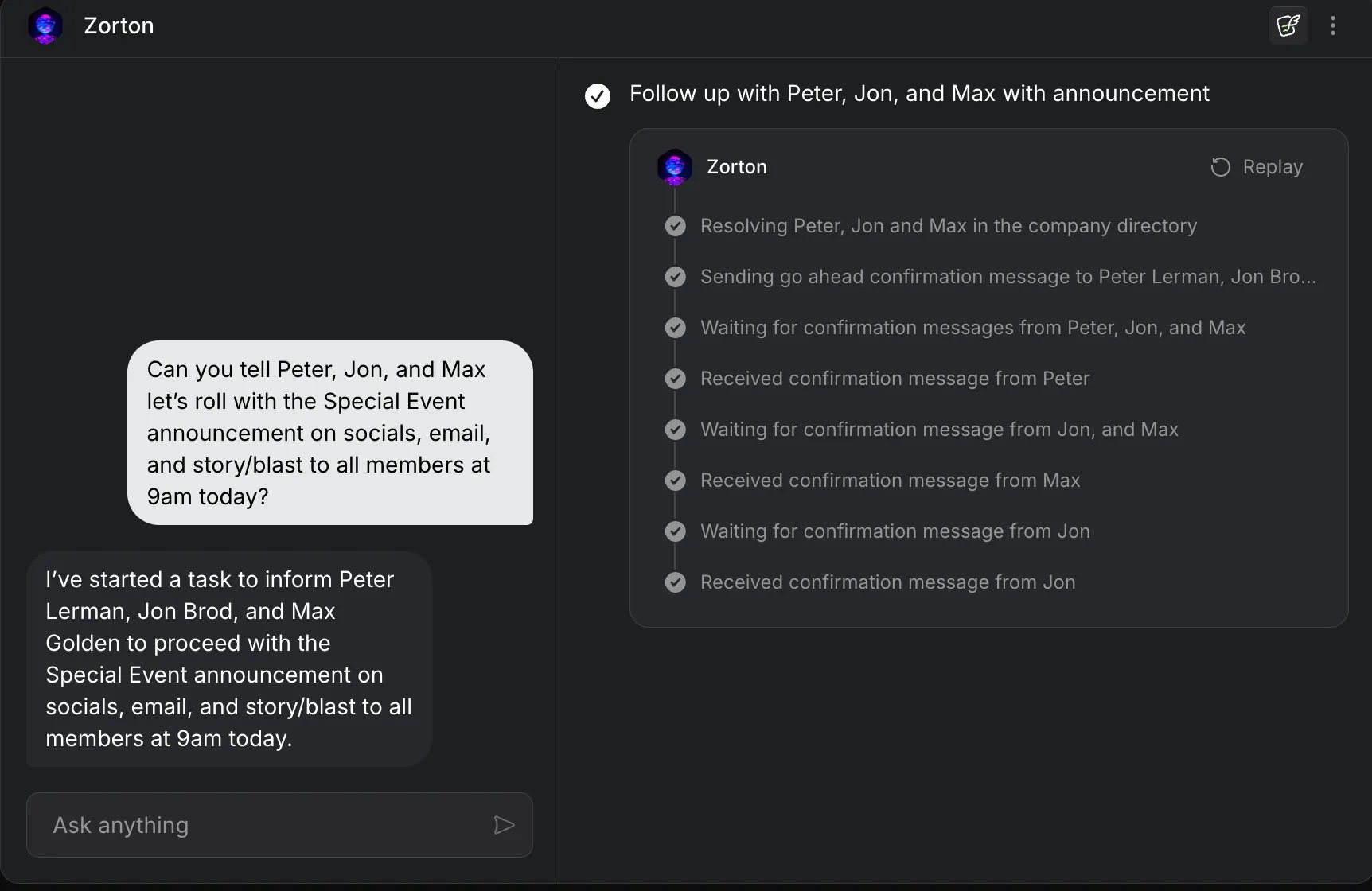
On-It is an AI assistant that is aware of your office context. It is not just a chatbot bolted on. It knows who is online, what meetings happened, and can follow up via chat. Think of it as a context-aware AI that lives inside your workspace rather than sitting in a separate tab.
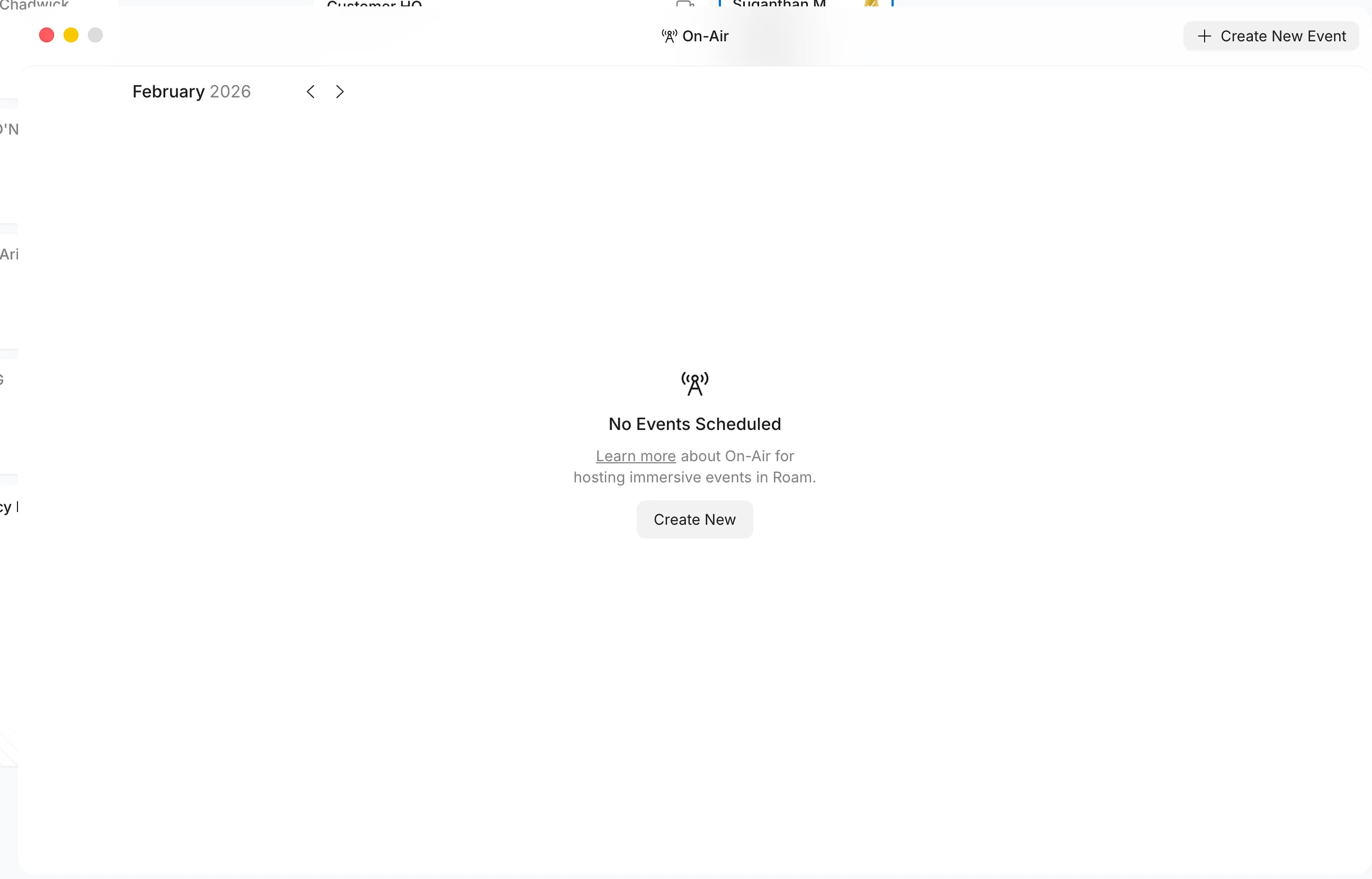
On-Air is their immersive events platform. It goes beyond basic webinars into something closer to a virtual conference experience. We have not used this one heavily, but for companies hosting larger events, it replaces Zoom Webinars entirely.
The Updated Cost Comparison
Roam now costs $19.50 per active user per month (2026 pricing, going to $20.88 in 2027). So yes, the price has nearly doubled from the $9.97 I quoted in 2024. But the value has more than kept pace because they have added three new products and significantly improved the existing six.
Here is what you would pay buying each tool separately (per user/month):
| Tool | Replaces | Cost/User/Month |
|---|---|---|
| Zoom | Video calls | $27 |
| Hopin | Virtual events | $25 |
| Calendly | Scheduling | $16 |
| Slack | Team messaging | $32 |
| Otter | AI meeting notes | $29 |
| Loom | Screen recording | $20 |
| AI Assistant | Standalone AI tool | $50 |
| Zoom Webinars | Large events | $83 |
| Total | $282/month | |
| Roam | All of the above | $19.50/month |
For our 10 person team: $2,820/month vs $195/month. That is $2,625 in monthly savings, or $31,500 per year.
Even with the price increase, the savings are dramatically larger than what I reported in 2024 because the comparison stack now includes three more tools.
Their Pricing Philosophy
This is worth mentioning because it is unusual for SaaS.
Roam only charges for active users, defined as people who actually log in during the month. If someone on your team does not use Roam that month, you do not pay for them. Guests (external clients, contractors joining meetings) are completely free.
No annual contracts. Monthly billing only. No tiered plans or feature gating. Every single feature ships in one bundle at one price. They publish their rate once a year in December, showing both the current year price and the following year price. No surprise increases.
No discounts either. Everyone pays the same. That sounds like a negative until you realise it means you never have to wonder if someone else negotiated a better deal.
The Developer Platform
This is new since 2024 and worth covering for technical teams.
Roam now has a full developer API with four main offerings:
Roam HQ API (v1) is the production API for sending messages, listing recordings, and exporting message archives for compliance.
Chat API (Alpha) lets you build bots, retrieve message history, manage groups, and access meeting transcripts programmatically.
Events API (Alpha) provides real time webhooks for messages, reactions, recordings, transcripts, and lobby bookings. If something happens in your Roam workspace, you can trigger actions elsewhere.
SCIM 2.0 API handles automated user provisioning through Okta or Azure AD.
Beyond the APIs, they have pre-built integrations with Zapier, n8n, GitHub Actions, and Datadog. The GitHub integration is particularly clever: when someone on your engineering team has an outstanding pull request, a GitHub icon appears next to their office on the virtual map, linking directly to the PR. Roam claims this cut their own internal PR review time by 42%.
They are also expanding into the agentic AI space, building support for emerging protocols that let AI assistants interact directly with your workspace. For teams already investing in AI workflows, this positions Roam as more than just a communication platform.
What Has Gotten Better
After two years of daily use, a few things stand out:
The AI layer is genuine, not gimmicky. Magic Minutes, promptable threads, promptable PDFs, On-It as a context-aware assistant… these are not checkbox features. They are integrated deeply into the platform in ways that actually save time.
AInbox matured fast. When I first mentioned it, Slack replacement felt ambitious. Now it is a legitimate enterprise messaging platform with features Slack does not have (confidential messages, AI-powered thread summaries, cross-chat-and-meeting search).
The “one bundle” approach scales well. We have not had to think about which plan we are on, whether a feature requires an upgrade, or which team members have access to what. Everyone gets everything. That removes a surprising amount of friction.
What Could Be Better
I would not be honest if I did not mention the gaps.
Integrations are still limited compared to Slack. If your workflow depends on deep native integrations with dozens of third-party tools, Roam’s ecosystem is smaller. Zapier bridges a lot of this, but it is not the same as native.
Adoption takes effort. Moving a team from Slack and Zoom to Roam is a mindset shift, not just a tool swap. The virtual office concept takes a week or two to click. Some people resist it initially.
The price increase is real. Going from $9.97 to $19.50 is a significant jump, even if the value justifies it. Teams that signed up at the original price might feel it.
Is It Still Worth It?
For us, unambiguously yes. Two years in, Roam is not something we are evaluating anymore. It is infrastructure. The savings are substantial ($31,500/year for our team), but honestly the bigger value is the workflow. Having meetings, chat, AI notes, screen recording, scheduling, and a shared virtual space in one place removes the constant context-switching that plagues remote teams.
If you are running a remote team of 5 to 50 people and currently paying for some combination of Zoom, Slack, Calendly, Otter, and Loom separately, the math speaks for itself.
When I originally tweeted about Roam, I had no affiliation with them. Since then, I have joined their influencer program, which means I may earn a commission if you sign up through my link. My opinions here are my own.
Have questions about our Roam setup? Reach out on X or LinkedIn.
Stay in the loop
I'll email you when I publish something new. No spam. No fluff.
Unsubscribe anytime.

Entrepreneur & Search Journey Optimisation Consultant. Co-founder of Keyword Insights and Snippet Digital.