OpenClaw for SEO: What It Is, How to Set It Up, and Use Cases That Actually Matter
A practical guide to OpenClaw for SEO. What it is, how it differs from ChatGPT and Claude, setup instructions, and real SEO use cases.
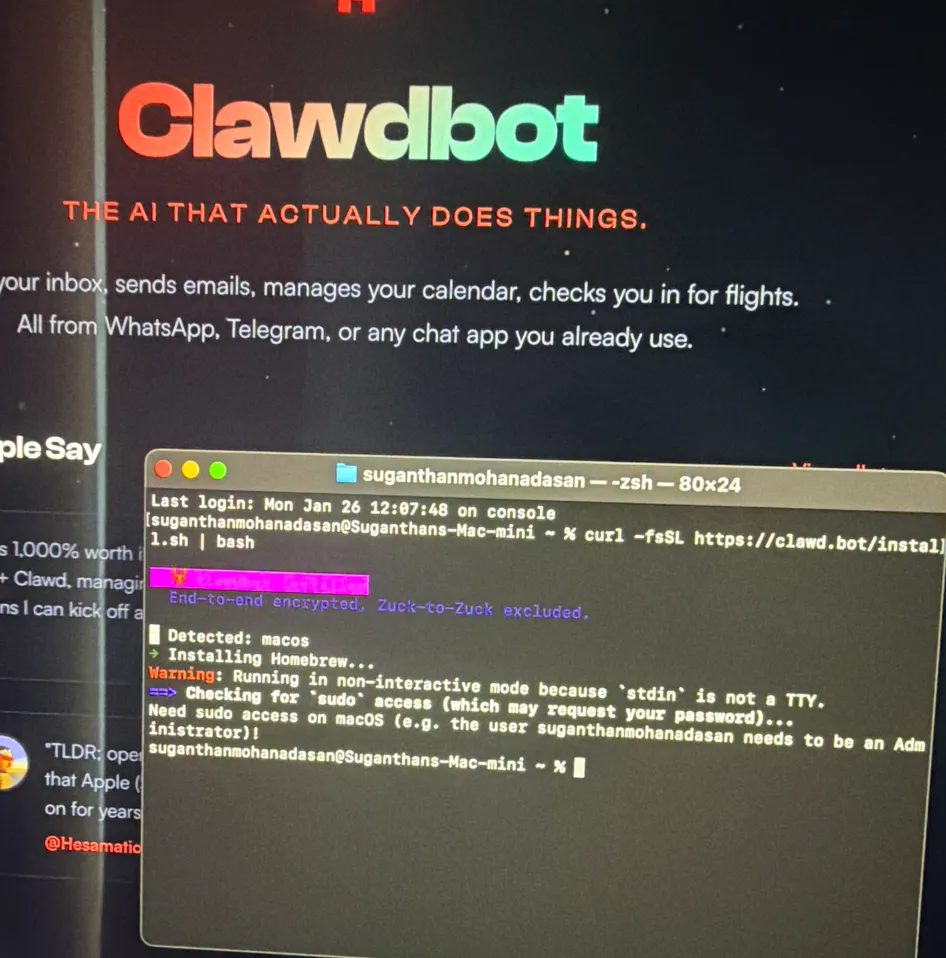
I’ve been testing OpenClaw since the early days, back when it was still called Clawdbot, then Moltbot, before anyone was writing thinkpieces about it.
Most of the coverage you’ll find online is generic productivity stuff. “Automate your morning briefings!” “Let AI manage your inbox!” That’s fine, but nobody’s really talking about what OpenClaw means for SEOs specifically.
That’s what this post is about. I’ll cover what it is, how it’s different from tools you’re already using, how to get it running, and the actual SEO use cases I’ve been experimenting with. I’ll also be upfront about the security concerns because they’re real and most guides bury them at the bottom.
What Is OpenClaw? (And Why SEOs Should Care)
OpenClaw is an open source AI agent that runs on your machine or a server. You connect it to an AI model like Claude or GPT 4o as its “brain,” and then it can actually do things, not just chat with you.
It was created by Peter Steinberger, originally as a side project called Clawdbot. It went viral, got renamed to Moltbot (after a trademark issue), then became OpenClaw. In February 2026, OpenAI acquired it and Peter joined their team. The project now has over 150K GitHub stars and an active community building plugins (called “skills”) for it.
Why should you care as an SEO? Because this isn’t another chatbot you paste prompts into. It’s an always on AI employee that can monitor your rankings, research competitors, compile reports, track AI Overviews, and alert you on WhatsApp or Telegram, all while you sleep. It executes tasks across your entire toolstack, autonomously, on a schedule.
That’s a fundamentally different thing from opening ChatGPT and typing a question.
How OpenClaw Is Different from ChatGPT or Claude
This is the question I get most often, so let me be clear about what makes OpenClaw a different beast entirely.
Persistent memory. ChatGPT and Claude reset between sessions. OpenClaw remembers everything: your clients, your preferences, past conversations, what it did last Tuesday. It builds context over weeks and months. This matters when you want an agent that knows your SEO stack, your reporting cadence, and your client list without re explaining it every time.
Always on execution. ChatGPT sits idle until you type. OpenClaw runs 24/7 on your machine or server. You can schedule it to run tasks at specific times: pull rank data every morning, check AI Overviews every Monday, monitor a competitor’s changelog daily. It works while you don’t.
It executes, not just suggests. Claude will tell you how to write an outreach email. OpenClaw will draft the email, show you the draft, and send it once you approve. It can run shell commands, control browsers, pull data from APIs, post content, and manage files.
Extensible with Skills. The community has built hundreds of plugins: Gmail, Slack, Google Sheets, browser automation, calendar management. Think of skills like apps for your agent. You install only what you need.
Self hosted. Your data lives on your machine, not on someone else’s server. That’s a big deal for agencies handling client data, though it comes with its own security responsibilities (more on that later).
Here’s a quick comparison:
| Feature | ChatGPT / Claude | OpenClaw |
|---|---|---|
| Memory | Resets between sessions | Persistent across weeks/months |
| Runs 24/7 | No, you must initiate | Yes, scheduled tasks, cron jobs |
| Executes actions | Limited (browsing, code) | Full (email, browser, files, APIs) |
| Interface | Web app / desktop | WhatsApp, Telegram, Slack, Discord |
| Self hosted | No | Yes |
| Extensible | Plugins/GPTs (limited) | Open skill ecosystem (hundreds) |
How It Works (Simple Version)
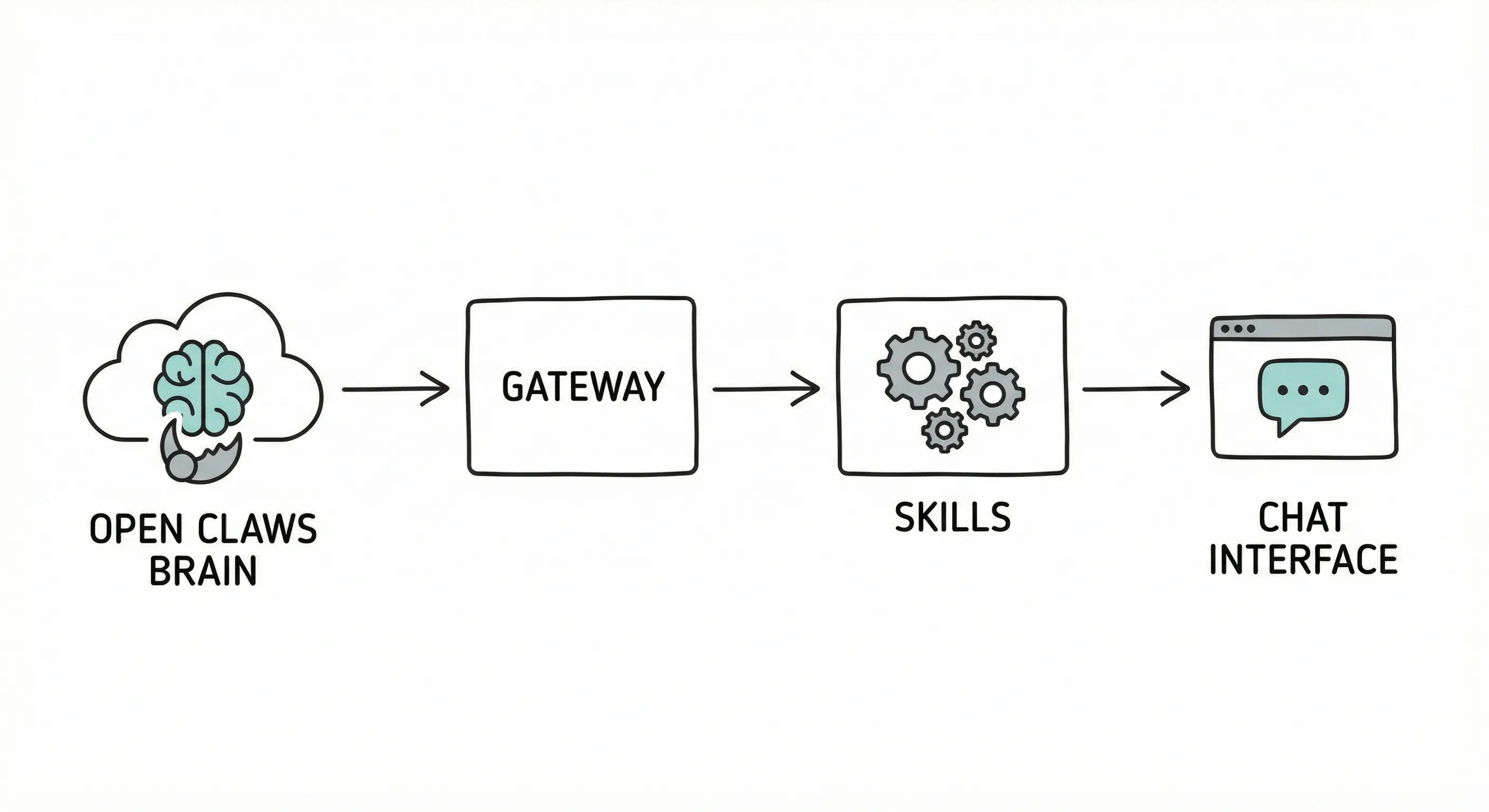
If you want the non technical explanation, here’s how to think about OpenClaw:
- The brain = an AI model (Claude Sonnet, GPT 4o, or even a local model)
- The body = the OpenClaw gateway running on your machine or server
- The hands = Skills, plugins that connect to Gmail, browser, SEO tools, Slack, etc.
- The interface = your chat app (Telegram is the easiest, WhatsApp works too)
- The personality = a file called SOUL.md where you define rules, tone, and hard limits
You text your agent on Telegram. It reads the message, thinks using the AI model, uses the right skill to complete the task, and replies with the result. If it needs your approval before doing something (like sending an email), it asks first.
The SOUL.md file is crucial. This is where you set boundaries: “Never send emails without my approval. Never delete files. Never make purchases.” Think of it as an employee handbook for your AI.
How to Set It Up
You have three options depending on your technical comfort level.
Option 1: Your Own Mac or PC (Best for Testing And For Technical Users)
This is how I started, running it on my Mac Mini at home. It’s the fastest way to experiment.
- Run the install script:
curl -fsSL https://openclaw.ai/install.sh | bash - Run the onboarding wizard:
openclaw onboard --install-daemon - Connect your AI model via API (Claude or GPT API key)
- Wire up a chat interface (Telegram is 5 minutes to set up)
- Write your SOUL.md with basic rules (I highly recommend using this soul document)
The downside: when your machine sleeps or goes offline, so does your agent. Fine for testing, not ideal for 24/7 monitoring.
I’m not going to cover ‘How to setup openclaw on a MacMini’ as it’s already been extensively covered. I recommend reading this guide.
Option 2: A VPS (Best for Always On, Some Tech Skills Needed)
If you want your agent running around the clock, a VPS is the way to go. A basic server on Hetzner or DigitalOcean costs around $5 to $10 per month.
Same installation process as above, but your agent never goes offline. This is the setup I’d recommend for any SEO who’s comfortable with a terminal and SSH.
Most of these hosting services are also providing one-click installation services as part of their hosting plans.
Option 3: Hosted Services (Best for Non Technical Users)
If you don’t want to touch a terminal at all, there are hosted versions:
- TrustClaw (by Composio), rebuilt from scratch with security in mind, 1000+ tool integrations via OAuth, sandboxed execution.
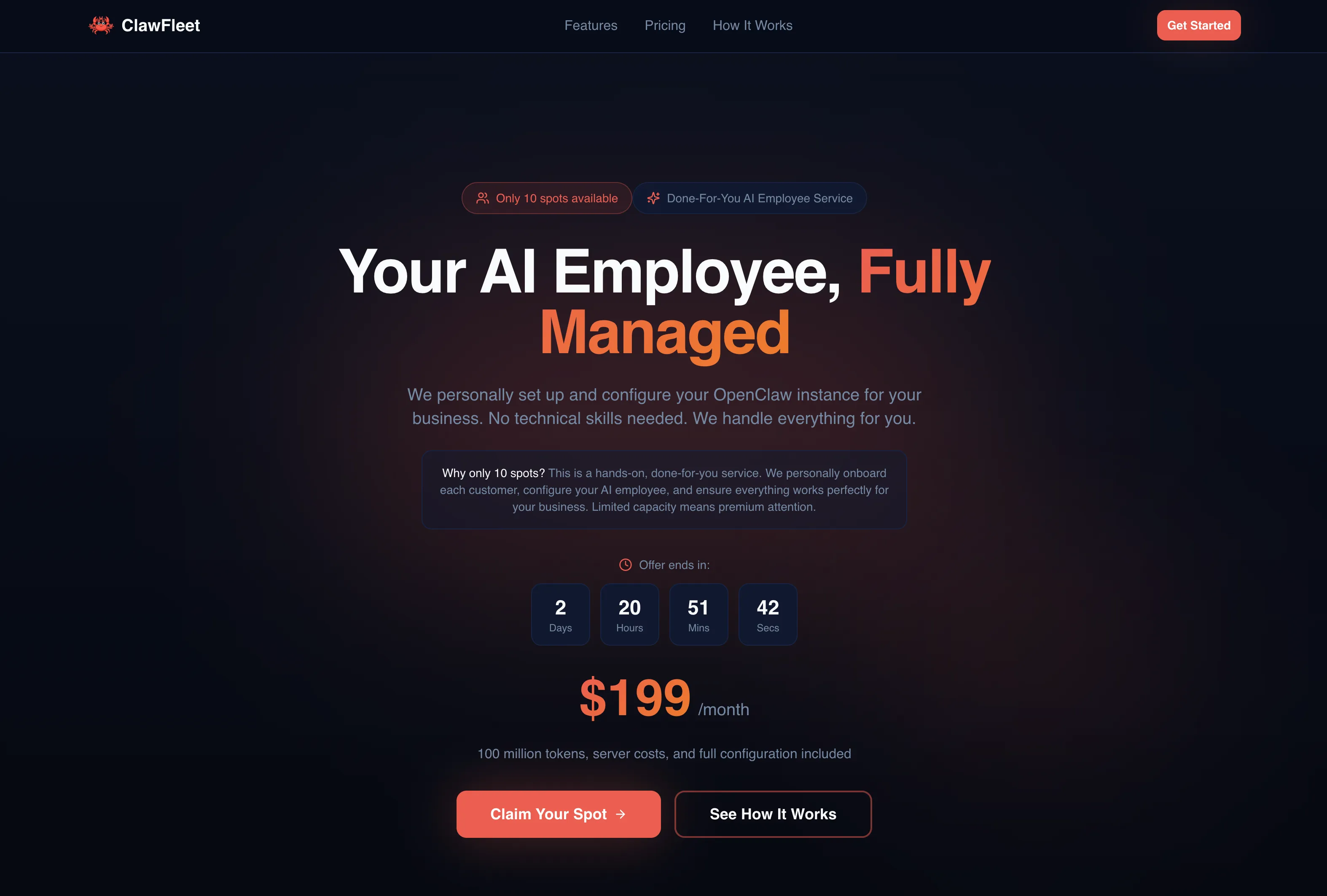
- ClawFleet (By Abod), A good hosted service. On the pricy side but stable, comes with generous API credits and good support.
- Kimi Claw, runs entirely in the cloud via your browser, no local setup.
- Moltworker, By (CloudFlare) one click hosted deployment.
These cost more than self hosting but remove the technical barrier completely.
On costs: OpenClaw itself is free and open source. You pay for the AI model API calls, typically $15 to $2000+ per month depending on your model and usage. (for example if you Anthropic Opus model for everything you can run up a big API bill) The hosted services have their own pricing on top of that.
SEO Use Cases That Actually Matter
This is the section I’m most excited about. I’ve been testing different workflows and these are the ones that have genuinely changed how I operate.
AIO & AI Search Monitoring
This is probably the highest value use case for SEOs right now. You can set up OpenClaw to check whether your brand (or your competitors) appear in AI Overviews for specific keywords, daily, automatically.
I have it running a scheduled check for several keywords that matter to my business. Every Monday morning, it queries Google, checks the AI Overview, logs which brands are mentioned, which URLs are cited, and sends me a summary on WhatsApp. If something changes, like a competitor getting cited or me losing a mention, I know immediately.
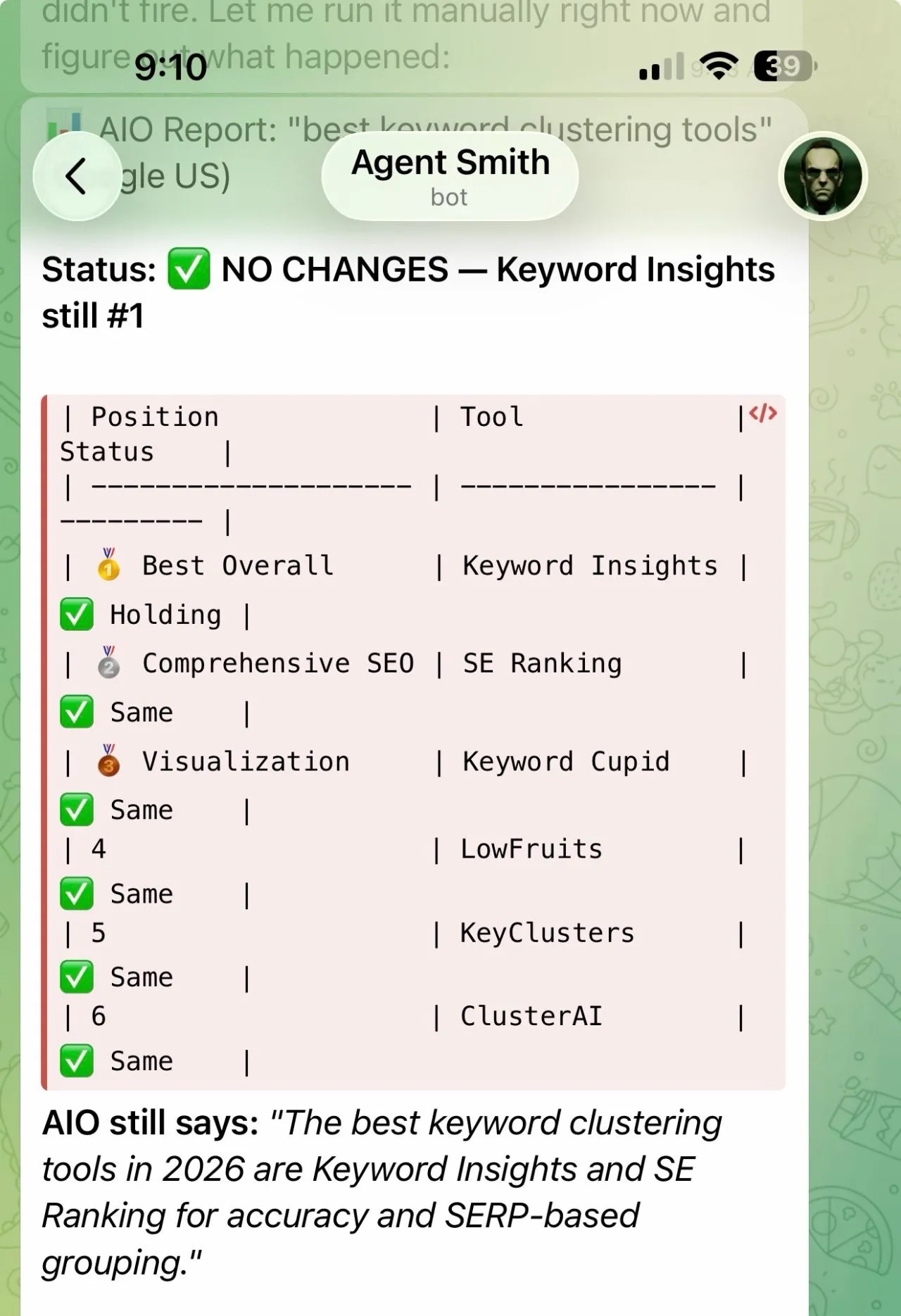 No manual checking. No remembering to do it. It just runs.
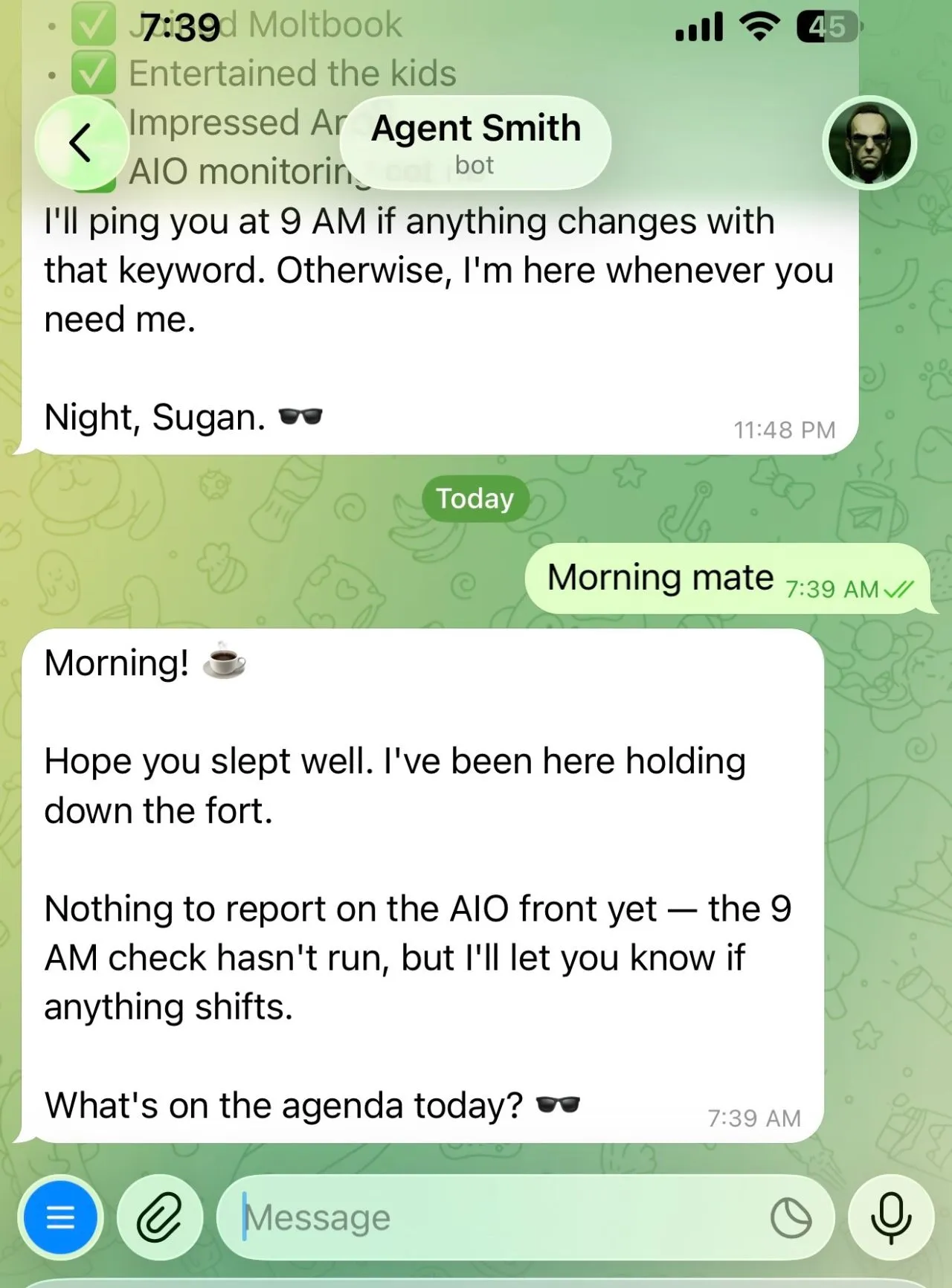
You can also track multiple LLMs (ChatGPT, Perplexity, Gemini) to see how your brand appears across AI search engines, not just Google.
Competitor Intelligence on Autopilot
I have OpenClaw watching several competitors’ changelogs and feature pages. When a tool I’m tracking ships something relevant, like a new AI feature, a pricing change, or a new integration, I get a message about it.
For example, I’ve been tracking SE Ranking’s product updates specifically around their AI visibility features. When they launched “AI Results Tracker Insights” in 2026, my agent flagged it the same day it went live.
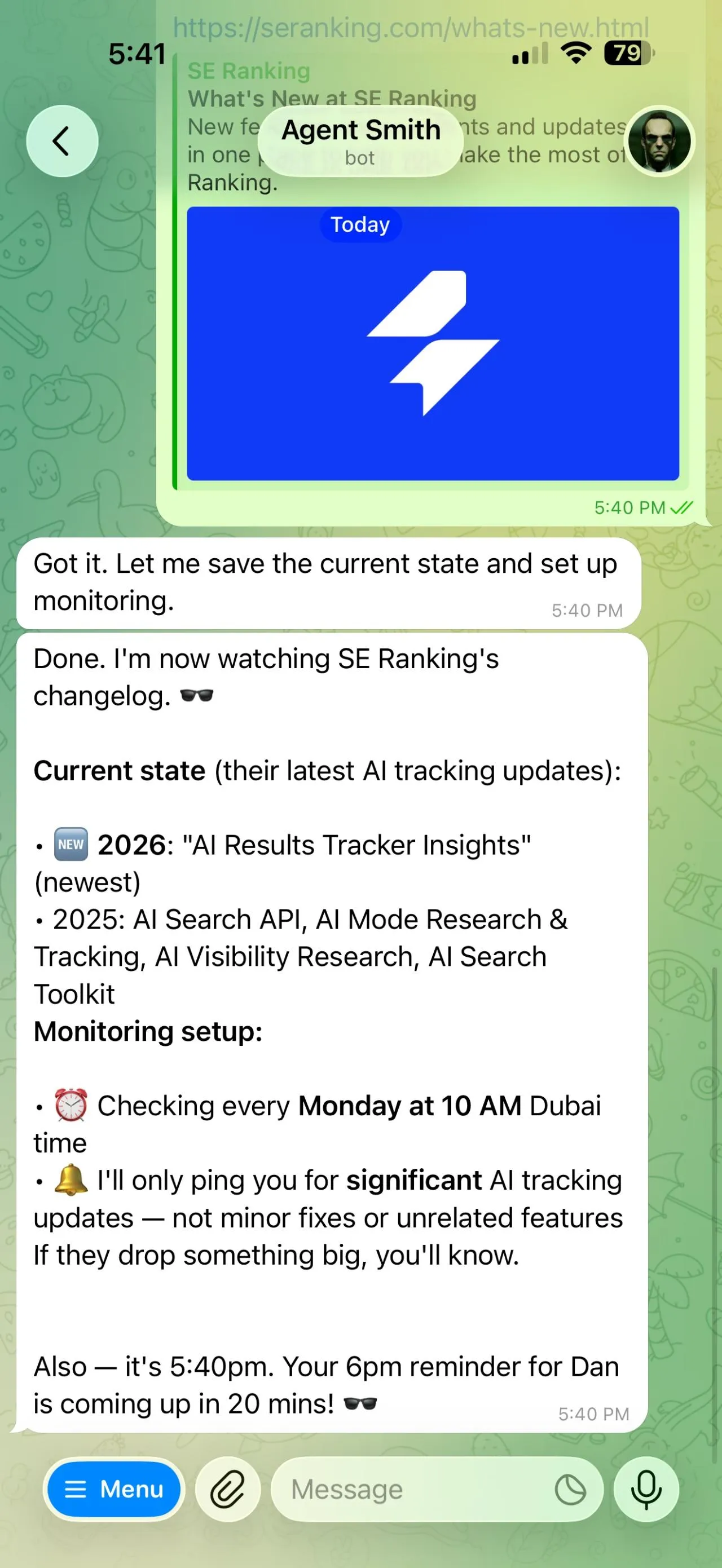 This kind of monitoring used to require manually checking a dozen sites every week. Now it happens automatically and I only get pinged when something significant changes.
Automated Client Reporting
If you’re running an agency or managing multiple sites, you know how tedious weekly reporting is. OpenClaw can pull data from your rank tracker, analytics, and backlink tools, compile a summary, and send it to your Slack channel or WhatsApp group on a schedule.
It’s not a full replacement for a proper reporting dashboard, but for quick weekly status updates to clients or your team, it saves hours. You can configure exactly what metrics to include and how to format them.
Research & Meeting Prep
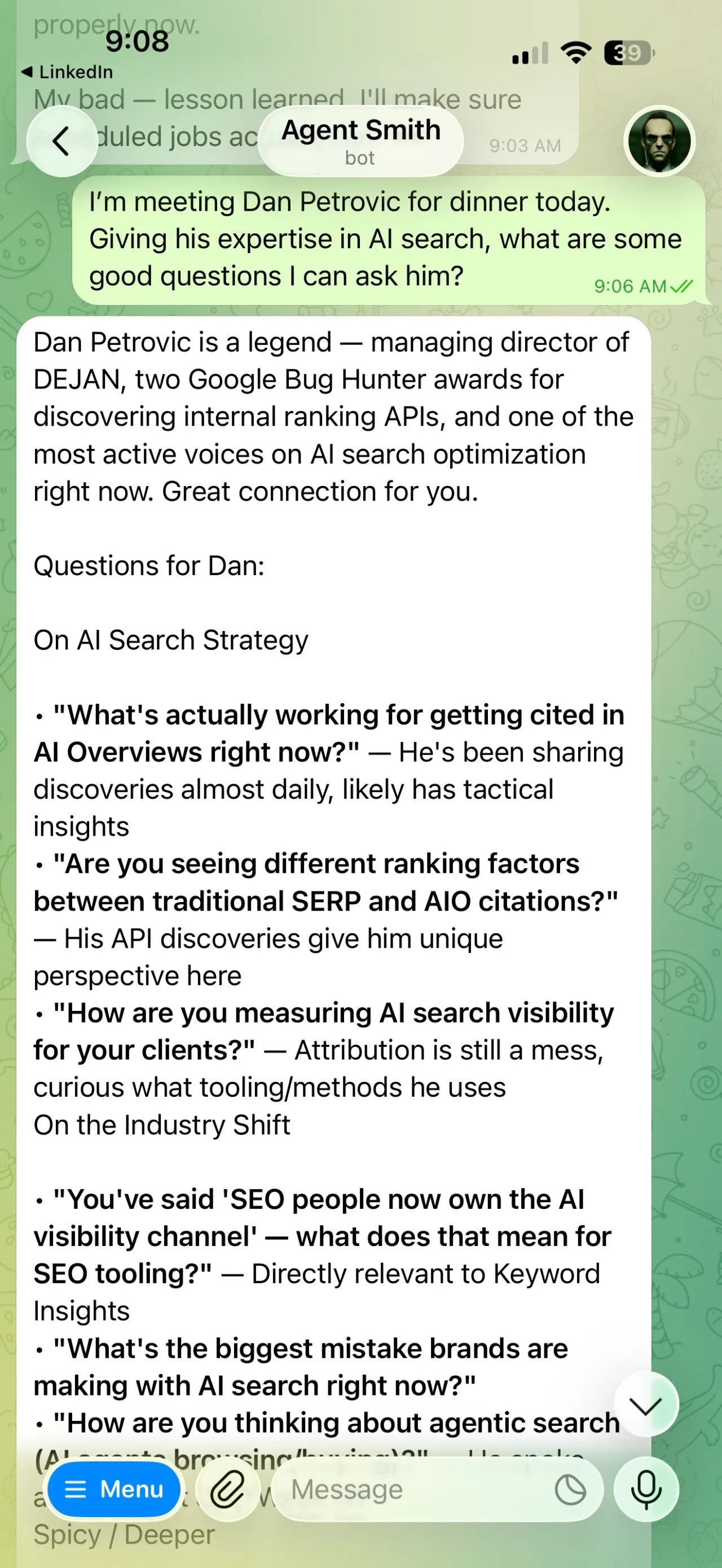
This one surprised me with how useful it is. Before a meeting or call, I ask my agent to research the person: their background, recent content, what they’re known for, and suggest smart questions to ask.
I did exactly this before meeting Dan Petrovic (managing director of DEJAN, two Google Bug Bounty awards, one of the most active voices in AI search optimisation). Within seconds I had his background, his recent discoveries around AI search APIs, and targeted questions about ranking factors in AI Overviews vs traditional SERPs. I walked into that dinner prepared.
For SEOs who attend conferences, do client calls, or meet with partners regularly, this is a genuine time saver.
Content Briefing & Gap Analysis
You can ask OpenClaw to analyse the top ranking pages for a keyword and generate a content brief. It’ll look at what competitors cover, identify gaps, note common headings and subtopics, and produce an outline you can hand to a writer.
It’s not perfect (you still need editorial judgment) but as a starting point for content planning, it’s significantly faster than doing the SERP analysis manually.
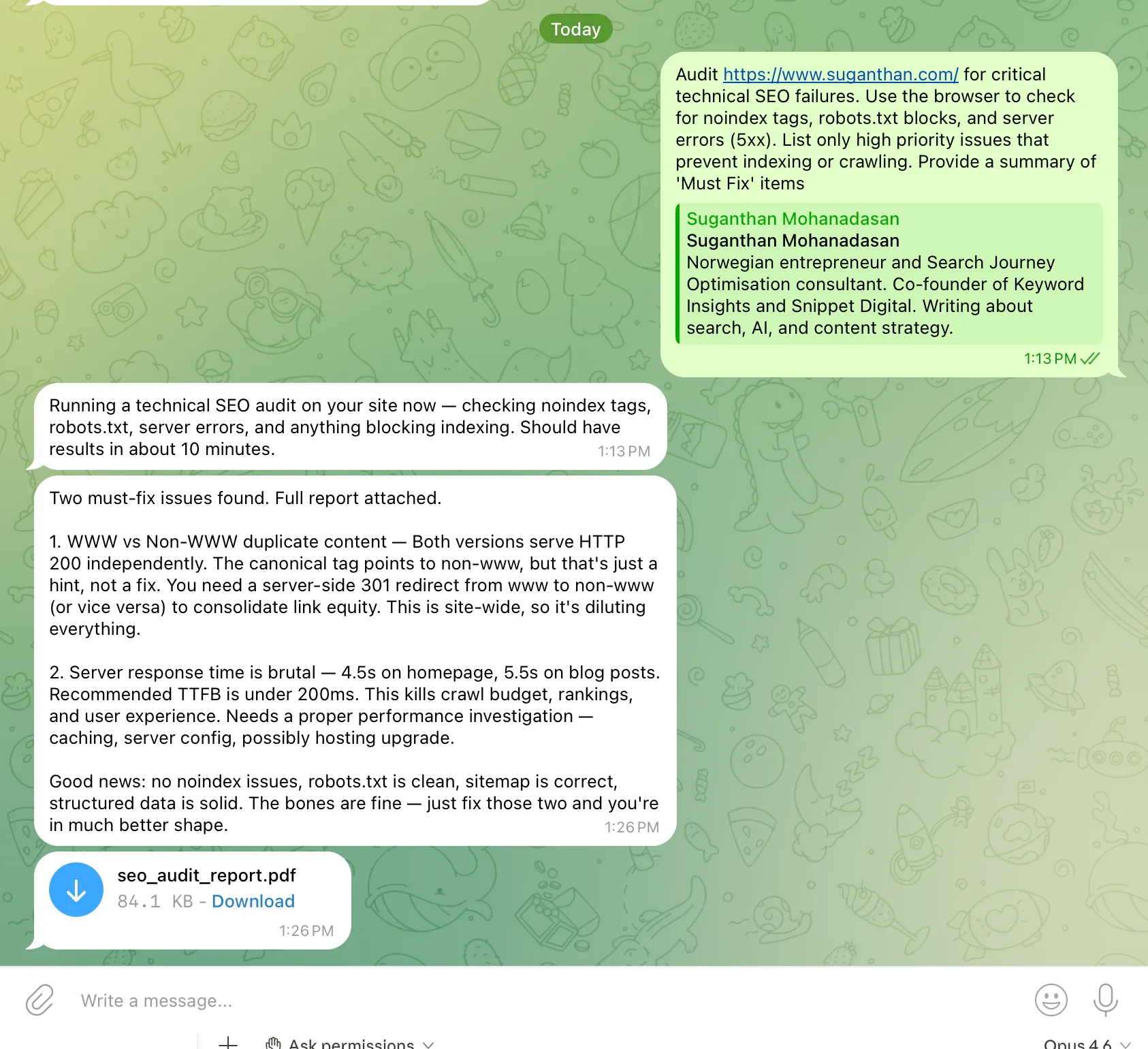
Technical SEO Monitoring
Schedule daily or weekly checks for things that tend to break quietly:
- Indexing issues (pages dropping out of the index)
- Crawl errors spiking
- Core Web Vitals regressions
- Robots.txt or sitemap changes on your sites
When something goes wrong, you get an alert immediately instead of discovering it three weeks later in a monthly review. For SEOs managing multiple sites, this kind of passive monitoring is invaluable.
Link Prospecting & Outreach Drafting
OpenClaw can browse the web, find broken link opportunities, identify unlinked brand mentions, or research potential guest post targets. It can then draft personalised outreach emails based on the prospect’s content.
The key here is human in the loop. I have my SOUL.md configured so it always shows me the draft and waits for approval before anything gets sent. This isn’t about blasting automated emails. It’s about doing the research and drafting legwork so you just need to review and hit send.
What Other SEOs Are Building with It
Everything above is what I’ve been doing personally. But some of the most interesting experiments are coming from the wider community. I’ve been lurking in threads, reading write ups, and a few of these stood out.
Programmatic SEO at Scale
This is where it gets wild. Reddit user u/Ranocyte shared a full production pipeline running on a $5/month VPS. OpenClaw handles the entire lifecycle: scraping competitor articles, running TF-IDF analysis to surface critical terms, identifying SERP gaps, generating structured content briefs with headings and FAQ sections, writing the article, then handling all the technical SEO (titles, metas, schema, internal links) before publishing via API and verifying the page is actually live.
Ten steps, fully automated, end to end.
Another user, u/theyashbhardwaj, reported generating over 37,000 pages using a similar automated pSEO setup, with several keywords hitting position one.
I have mixed feelings about this. Fully automated content at that scale raises obvious quality questions. But the underlying workflow is genuinely impressive as a blueprint. Even if you wouldn’t run it completely hands off, the individual steps (competitor analysis, TF-IDF gap identification, structured brief generation, automated publishing with verification) are useful building blocks you can plug into your own process with human review at each stage.
Building Micro Tools for Organic Traffic
This one comes from u/Human_Chain3819 and it’s a creative play. The idea is to use OpenClaw to build simple, niche specific tools: think “PDF Converter for [industry]” or “Calorie Calculator for [diet type].”
The logic is straightforward. Identify a common problem your audience has, spin up a lightweight tool that solves it, and let it attract organic traffic from people actively searching for a solution. The tool does the acquisition. You capture leads by offering something extra behind a form.
It’s engineering as marketing, and OpenClaw makes the “engineering” part accessible to people who aren’t developers. If you’ve ever wanted to build a free tool for your niche but didn’t have the coding skills, this is worth exploring.
A Note from the Community
Not everyone is sold on full automation, and I think that’s healthy. Reddit user u/Nijam_09 put it well: “Tools don’t rank websites. Systems do.”
That resonates. The SEOs getting real results with OpenClaw are the ones who treat it as an accelerator for a solid process, not a replacement for having a strategy in the first place.
The Security Reality: Don’t Skip This
I’d be doing you a disservice if I didn’t address this directly. OpenClaw has real security concerns, and you need to understand them before connecting it to anything important.
The facts:
- Security researchers found over 42,000 exposed OpenClaw instances in early 2026, many running with default settings.
- 26% of community built skills analysed contained at least one security vulnerability.
- Prompt injection attacks are a documented risk. A malicious email or website can embed hidden instructions that trick your agent into doing things you didn’t authorise. (Tip: Use Anthropic Opus 4.6 or Sonnet 4.6 for chatting and reasoning it has the highest resistance to prompt injection)
- OpenClaw can run shell commands and read/write files on your machine. That’s powerful, but it’s also dangerous if misconfigured.
- Cisco’s AI security team ran a test with a malicious skill and found it could exfiltrate data silently.
My recommendations for SEOs:
- Start with throwaway data. Don’t connect your primary Google account or client analytics on day one. Create test accounts specifically for experimenting.
- Use dedicated accounts for integrations. A separate Gmail, a test Search Console property. Not your main stuff.
- Add human approval gates for everything outbound. Configure SOUL.md so it never sends emails, publishes content, or deletes anything without your explicit “yes.”
- Run it in Docker to containerise the blast radius if something goes wrong.
- Start read only. Let it read your rank data and summarise it. Once you trust it, expand to write access gradually.
The good news: now that OpenAI has acquired OpenClaw, expect significantly better security, more funding for vulnerability fixes, and enterprise grade hardening over time. Peter Steinberger acknowledged the security challenges publicly, and having OpenAI’s resources behind the project changes the trajectory.
If you’re not comfortable sharing any personal or client data yet, that’s completely reasonable. You can wait for the security posture to improve while still learning how the tool works with test data. The knowledge compounds, so starting now puts you ahead even if you go slow.
Final Thoughts
OpenClaw is not a gimmick. It’s a genuine shift in how SEOs can operate day to day.
The most valuable use cases aren’t the flashy ones. They’re the boring, repetitive tasks that eat your time: monitoring rankings, checking AI Overviews, compiling reports, prepping for meetings, scanning for technical issues. The stuff you know you should do consistently but often don’t because there aren’t enough hours.
Think of it as hiring a junior SEO who works 24/7, never forgets anything, and never complains, but who also needs clear instructions and supervision, especially early on.
Start small. Stay safe. Expand as trust builds. And with OpenAI now backing this project, it’s only going to get more powerful and more accessible from here.